
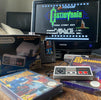
How to connect an old console to a modern TV?
, by Retromania, 5 min reading time
, by Retromania, 5 min reading time
Composite, Peritel, RGB, or HDMI: understand how older consoles connect and choose the right connection for your modern TV.
You've pulled out a PlayStation, Super Nintendo, or PS2, but your TV only has HDMI inputs? To connect a retro console to a modern TV, you need to match the console's signal to the display's inputs. The shape of the plugs is not enough to guarantee compatibility.
Before buying an adapter, note the exact console model, its region, the cable you have, and the TV's inputs. This simple check prevents you from ordering a device that converts in the wrong direction or does not recognize older resolutions.
| Connection | How to recognize it | Important point |
|---|---|---|
| Composite | Often a yellow video plug, plus red and white audio. | The video uses a single analog signal. |
| Scart / SCART | Large rectangular multi-pin plug. | Can carry composite or RGB depending on the cable and devices. |
| Component YPbPr | Three video plugs: green, blue, and red, with separate audio connections. | Do not confuse with composite or RGB. |
| S-Video | Small round multi-pin plug. | Availability varies depending on the consoles and their regions. |
| HDMI | Digital connection used by modern displays. | An analog source requires active conversion. |
A Scart plug therefore does not automatically guarantee an RGB image. An adapter that combines yellow, red, and white plugs into a Scart plug is still a composite connection.
Check its manual to see which signal it accepts. Some TVs use a small AV input requiring an adapter specific to their model; a cable that looks identical may have different wiring.
Connect the console with the appropriate cable, select the correct source, and test a known working game. Do not confuse the red audio plug with the component video plug.
If the TV accepts the signal, this connection allows you to start without immediately adding a converter. However, the quality of the upscaling and responsiveness depend on the display's processing.
You need an active converter that receives the signal from the console and produces an HDMI output. Check the indicated direction: AV to HDMI is not the same as HDMI to AV. A simple passive cable does not convert an analog output into an HDMI signal.
There are simple solutions and devices designed for older consoles. The choice depends on your hardware, the supported signals, and your sensitivity to image quality and display lag.
The "1080p output" label does not guarantee good processing of the original game. It indicates an output resolution, not color accuracy, 240p handling, or the device's latency.
Many older games use signals that modern TVs do not all process correctly. 240p and 288p formats, as well as 480i and 576i interlaced formats, may require different processing. An image may appear blurry, unstable, or be rejected even if the plugs are correctly connected.
Check the converter's input formats, not just its HDMI output. For example, the RetroTINK-2X Pro documentation details its inputs, supported resolutions, and certain compatibility limitations. This example shows the importance of reading the technical specifications; it is not a universal recommendation for all consoles.
Some games also change resolution between a scene and a menu. Depending on the video chain, this change can cause a brief interruption. For expensive equipment, check compatibility with your games and your exact model.
A PS2 can use several types of video cables. If you choose a component connection or a converter that expects this signal, the video output setting must match. The configuration distinguishes RGB and Y Cb/Pb Cr/Pr in particular.
An incompatibility between this setting and the converter's input can explain a lack of image. Do not change the settings randomly: consult the manual for the model and the adapter.
Also check the processing of PlayStation games played on the PS2: an adapter that displays a PS2 game does not necessarily support all the signals of a PS1 game. Compatibility must cover the actual use you plan.
Two consoles bearing the same name may use different plugs depending on their revision. Mega Drive and Mega Drive 2 cables, for example, should not be chosen solely based on the brand name.
On the GameCube, video options vary notably depending on the model and region. Do not buy an accessory intended for a digital output without checking that your console has this output.
The video converter does not resolve differences in electrical power. For an imported console, separately check the specifications of its power supply unit; the presence of a plug adapter does not guarantee suitable voltage.
Once you have an image, activate the Game mode on the TV if available and choose a format that respects the game's format. For many older titles, a 4:3 display prevents characters from being stretched. The sidebars are then normal.
It allows the signal to be displayed and can improve its presentation. It does not create the details of a remaster and does not replace the graphic work of the original game.
No. A modern screen with an appropriate connection and conversion can work. However, some special functions, notably old light guns, require specific hardware.
Specify its model, region, your TV's inputs, and the intended games. A photo of the connectors helps identify the right solution.
Choose a console at Retromania: check the cables included in the listing and contact us if you have any doubts about your setup.


